
Download 4k Video Downloader – Free, Secure & High‑Resolution Video Capture Tool
Comprehensive Overview of 4k Video Downloader
4k Video Downloader is a free, cross‑platform video capture utility trusted by millions worldwide for its ability to retrieve high‑definition media from the most popular streaming services. Whether you need a quick YouTube clip, a full‑length playlist, or a 360° VR experience, this tool lets you download video and audio files in a single click, preserving the original quality up to 8K. The software’s clean interface eliminates the clutter of ads, allowing uninterrupted binge‑watching or offline playback on any device, from HD TVs to smartphones. Its built‑in proxy support bypasses regional restrictions, while the Smart Mode automatically applies your preferred settings to every subsequent download. For creators and casual viewers alike, 4k Video Downloader provides a reliable, secure way to build a personal media library without compromising on resolution, format flexibility, or speed.
Key Features
- Download videos from over 20 platforms, including YouTube, Vimeo, TikTok, Twitch, and Instagram.
- Supports 4K, 8K, 1080p, and 720p resolutions; choose MP4, MKV, FLV, 3GP, or audio‑only formats.
- Batch download entire playlists, channels, or subscriptions with one command.
- Capture 3D stereoscopic and 360° VR videos for immersive playback.
- Built‑in proxy configuration to bypass geo‑blocks and ISP throttling.
- Smart Mode for automatic application of preferred resolution, format, and output folder.
- Cross‑device compatibility – files play on Windows, macOS, Android, iOS, and smart TVs.
- Zero‑advertisement experience; free for personal use with optional paid upgrades.
Installation, Usage Instructions & System Compatibility
Getting started with 4k Video Downloader is straightforward. First, visit the official website and click the “Download” button that matches your operating system. The installer is a lightweight .exe for Windows or a .dmg for macOS; both are signed and free from bundled malware. After the download completes, run the installer and follow the on‑screen prompts – the default settings work for most users, but you can customize the installation path if needed.
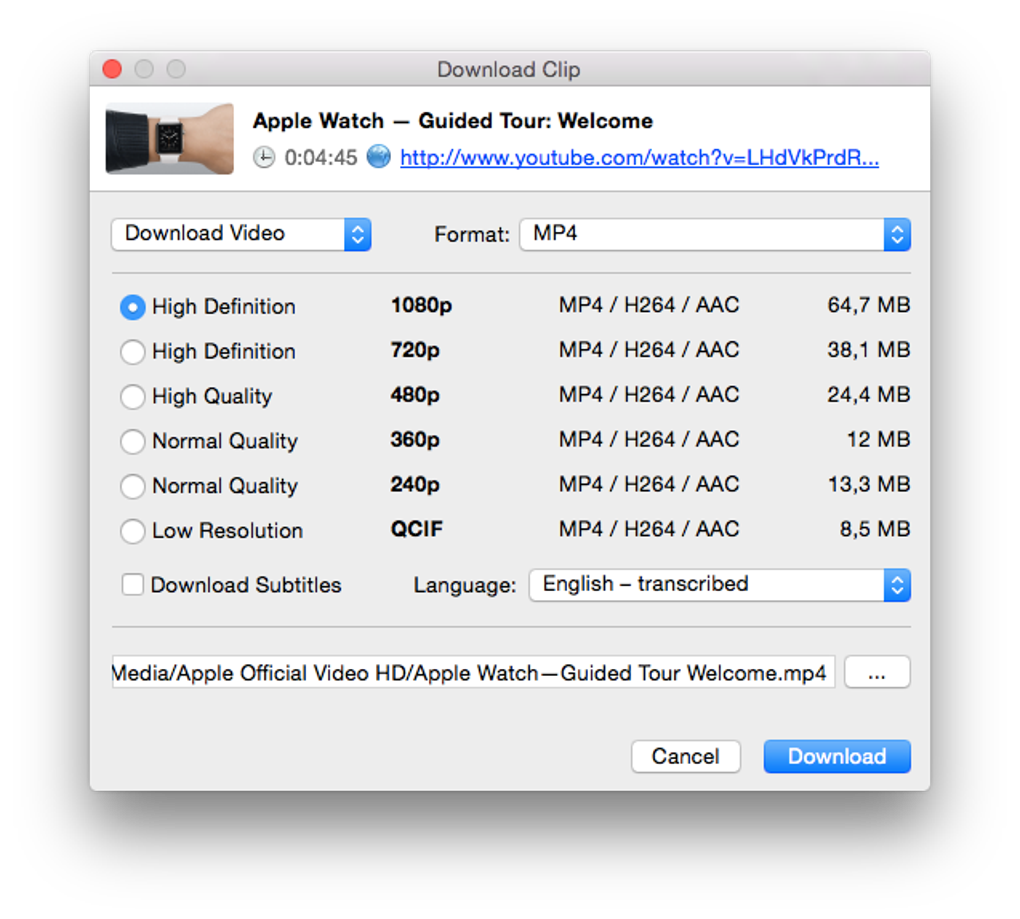
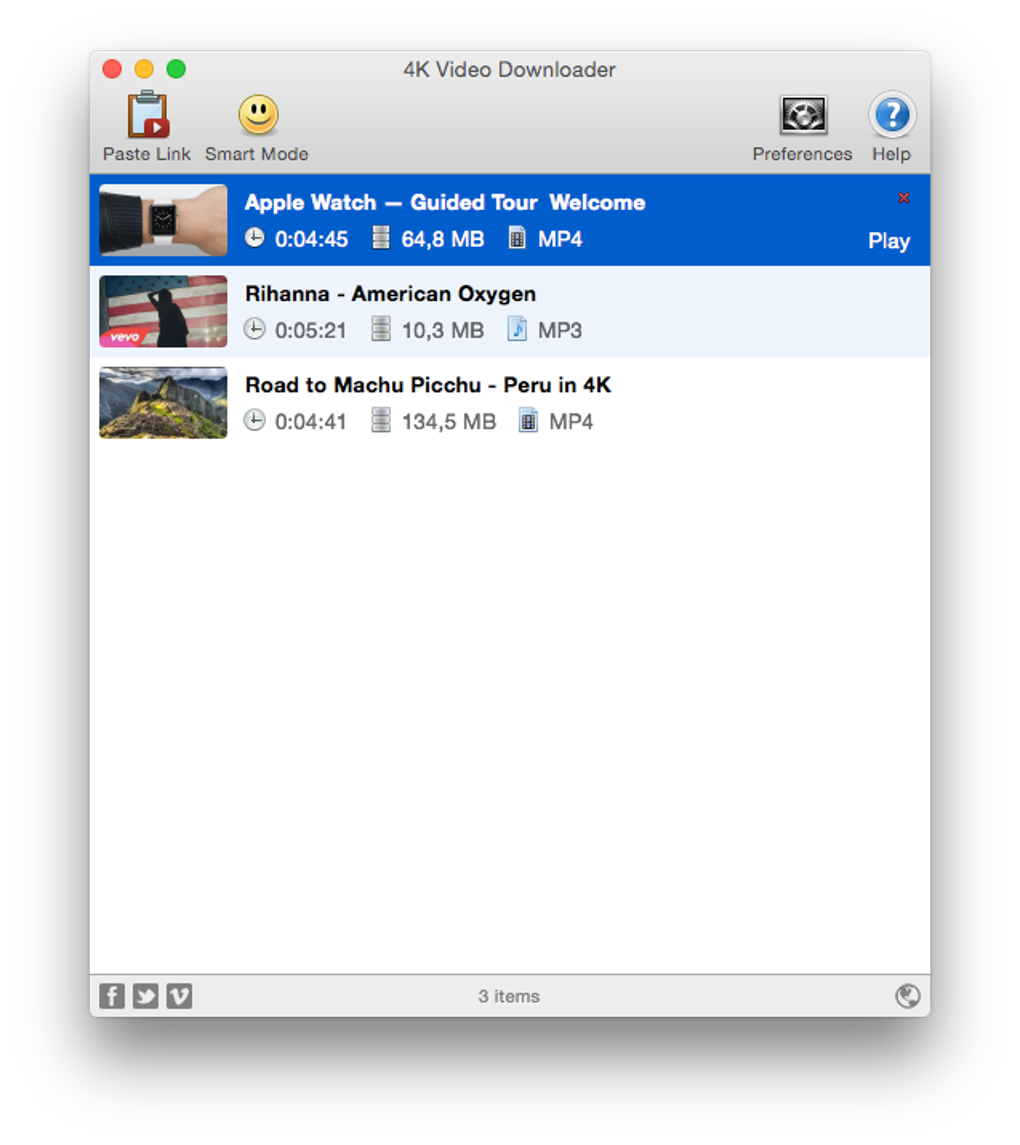
Once installed, launch the application and you’ll see a simple three‑panel layout: a URL input field, a format/resolution selector, and a download queue. To capture a video, copy its URL from any supported site, paste it into the input box, and click “Download.” A pop‑up lets you choose the desired format (MP4, MKV, etc.) and resolution (up to 8K). If you enable Smart Mode, the program remembers these choices for all future downloads, saving you time.
Supported operating systems: Windows 7/8/10/11 (64‑bit), macOS 10.12 and later, as well as Android 5.0+ and iOS 11+ via the companion mobile app. The desktop version also works on Linux through Wine, though native support is not officially listed.
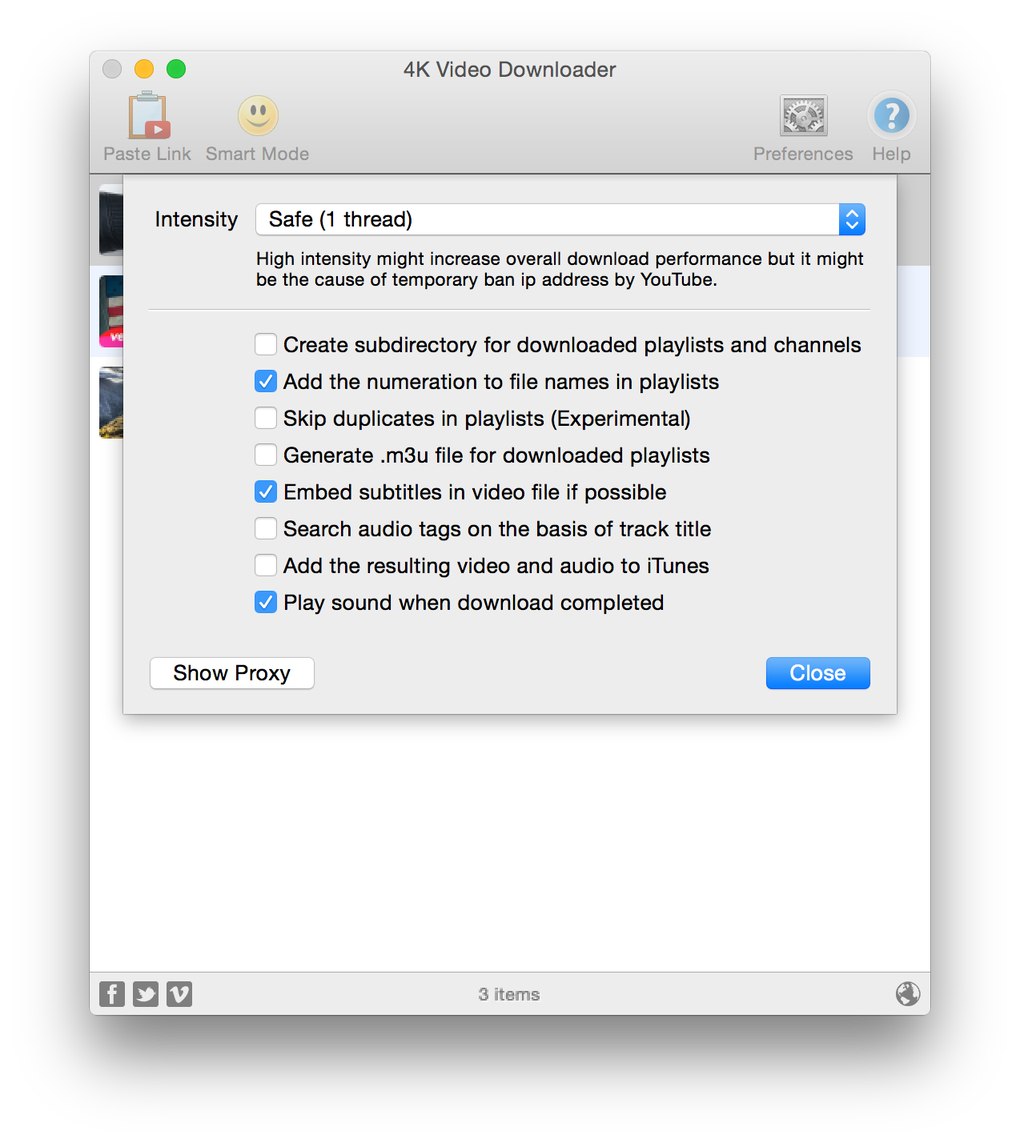
For power users, the built‑in proxy settings are accessible via the Preferences menu. Simply enable “Use proxy,” enter the host and port provided by your VPN or proxy service, and the downloader will route all traffic through that gateway, ensuring you can reach geo‑restricted content. The software also supports background downloading, allowing you to continue working or gaming while large files are saved to your hard drive.
Pros, Cons & Frequently Asked Questions
Pros
- Free for personal use with no intrusive ads.
- High‑resolution downloads up to 8K, including 3D and 360° videos.
- Batch downloading of playlists, channels, and subscriptions.
- Smart Mode streamlines repetitive download tasks.
- Built‑in proxy bypasses regional locks and ISP throttling.
- Wide format support ensures compatibility with most devices.
Cons
- Advanced features like multi‑threaded downloading require a paid license.
- No native Linux version (requires Wine).
- Occasional delay when extracting audio from very long videos.
FAQ – Answers from the Official Knowledge Base
Can I download copyrighted videos?
4k Video Downloader respects copyright law. You may download videos only when the platform’s terms of service allow it, such as public domain content or videos you own.
Is the software safe from viruses?
Yes. The installer is digitally signed, and the program is regularly scanned by major antivirus vendors. It contains no bundled adware.
How do I download a whole YouTube playlist?
Copy the playlist URL, paste it into the input field, and select “Download Playlist.” The software will queue each video automatically.
Can I extract audio only?
Yes. Choose the “MP3” or “M4A” format in the resolution selector, and the downloader will save only the audio track.
What proxy settings are supported?
Both HTTP and SOCKS5 proxies are supported. Enter the host, port, and optional authentication details in Preferences → Proxy.
Overall Rating: 4.5/5 – A solid, free solution for anyone needing reliable high‑resolution video downloads.
Conclusion: Why 4k Video Downloader Is Worth Your Download
In a landscape crowded with subscription‑based download managers, 4k Video Downloader stands out by offering a genuinely free, ad‑free experience without sacrificing performance. Its ability to fetch 4K and even 8K streams, handle 3D and 360° content, and batch process entire playlists makes it a versatile tool for both casual viewers and content creators. The inclusion of proxy support and Smart Mode demonstrates thoughtful design aimed at real‑world use cases, such as traveling abroad or managing large media libraries. While power users may eventually upgrade to the paid tier for multi‑threaded acceleration, the free version already delivers more than enough functionality for everyday offline streaming. If you’re looking to save bandwidth, avoid data caps, or simply enjoy your favorite videos without an internet connection, 4k Video Downloader is a secure, reliable choice.
Ready to experience seamless offline playback? Download 4k Video Downloader now and start building your personal video collection in stunning resolution today.







